

Robots.txt is the smallest file on your website, but it plays an important role. It contains a set of guidelines for search engine crawlers, telling them which parts of your website they are allowed or not allowed to access.
The robots.txt file is primarily used to manage the activities of bots, such as web crawlers.
This guide explains why the robots.txt file is important and how to optimize your website’s performance in 2026.
What Is robots.txt and Why Is It Important?
A Robots.txt file is a simple plain text file located in the root directory of a website. Its URL always follows the same format: yourdomain.com/robots.txt. When search engine crawlers or other bots visit a website, they check this file first to understand which pages or sections they are allowed to access and which areas should be ignored.
A well-configured Robots.txt file improves SEO performance and website efficiency by helping search engines crawl your site more effectively:
Improve crawl control: Guide search engines to prioritize important pages while avoiding unnecessary crawling of duplicate or low-value content.
Optimize sitemap discovery: Help crawlers locate and index important website sections more efficiently.
Reduce server load: Minimize unnecessary bot requests and improve overall website performance.
Secure private content: Prevent crawlers from accessing sensitive or non-public files and directories.
Boost SEO performance: Support better crawl budget management and improve search engine visibility.
The Robots.txt file works using two primary directives: User-agent and Disallow. The User-agent directive defines which crawler a rule applies to, while Disallow specifies the URLs or directories that the crawler should not access.
Example:
User-agent: *
Disallow: /wp-admin/
This rule instructs all search engine crawlers to avoid accessing the /wp-admin/ directory. While the concept is simple, issues often occur when rules are too broad, incorrectly configured, or when website owners misunderstand the limitations of Robots.txt. It controls crawler access but does not provide security protection or prevent a page from being indexed in every situation.
Understanding the Main Components of Robots.txt
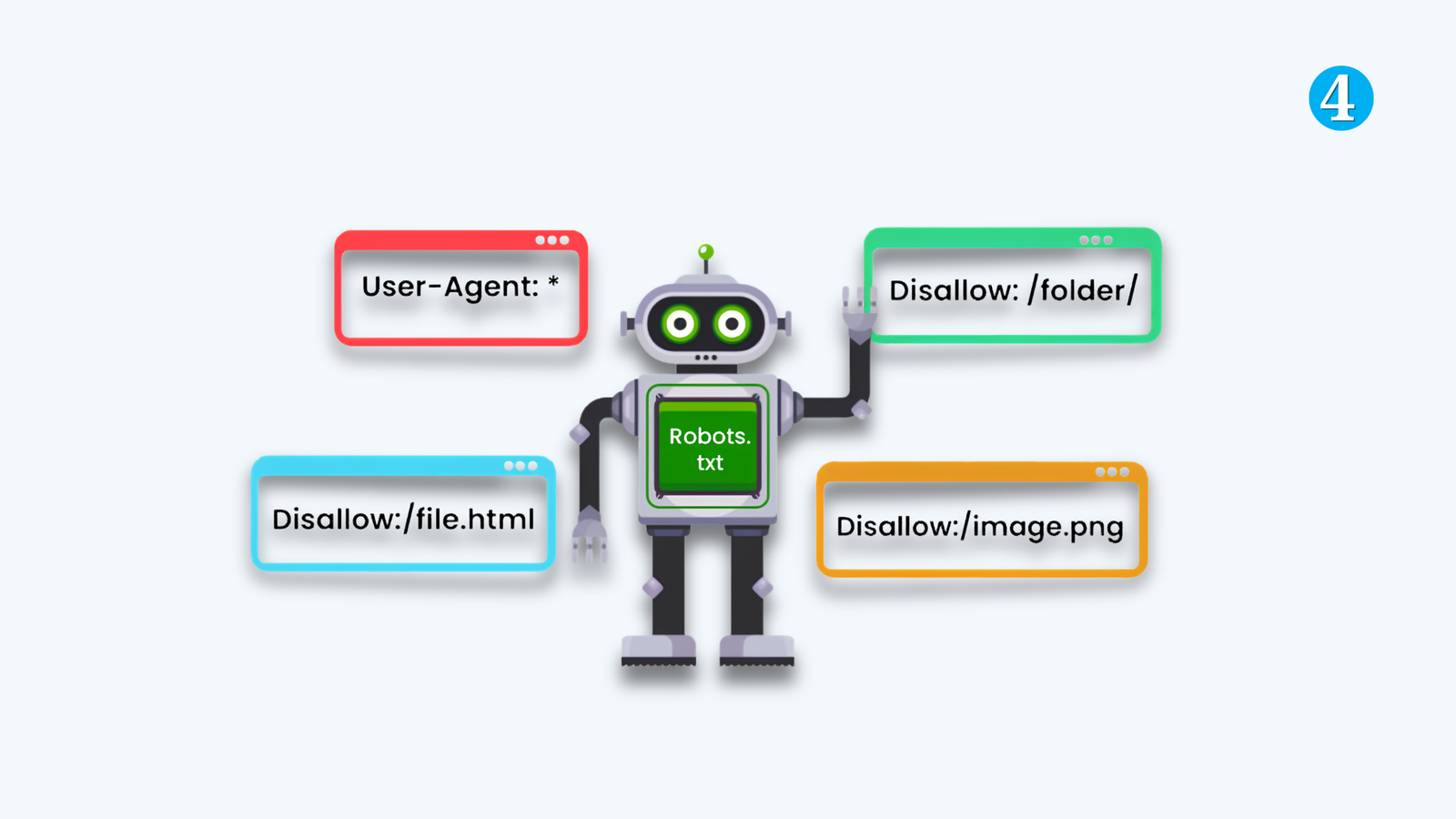
Robots.txt uses a small set of directives to communicate instructions to crawlers. Getting these right is most of the work.
User-agent
Specifies which crawler a rule applies to. An asterisk (*) means all crawlers. You can also target specific bots by name, like Googlebot or GPTBot, to set rules that apply only to them.
Disallow
Prevents crawlers from accessing specific pages, files, or directories. The rule applies to the crawler named in the User-agent line directly above it.
Allow
Overrides a Disallow rule for a specific path within a restricted section. This is useful when you want to block a directory but allow one specific page inside it, like /wp-admin/admin-ajax.php within a blocked /wp-admin/ directory.
Crawl-delay
Adds a delay between bot requests to reduce server load. Worth knowing about, but Googlebot does not support it. If you need to manage Google’s crawl rate specifically, that setting lives in Google Search Console, not in robots.txt.
Sitemap
Points crawlers to the location of your XML sitemap. This is one of the most useful lines in any robots.txt file and one of the most commonly forgotten.
What robots.txt Cannot Protect
This is the most misunderstood point in all of technical SEO, and getting it wrong causes real damage.
It controls crawling, not indexing
Disallowing a URL stops Google from fetching it. It does not stop Google from indexing it.
If another website links to a page you have blocked in robots.txt, Google can still list that URL in search results, just without a title or description, since it never got to read the page.
Real problem this causes: A site blocks /old-products/ in robots.txt to keep those pages out of search results. The pages already had backlinks. Google indexes them anyway because it does not need to crawl a page to know it exists. The pages show up in search as blank entries with no snippet. The site owner is confused because they thought blocking crawling meant blocking the page from Google entirely.
To actually remove a page from search results, leave it crawlable and add a noindex meta tag. Blocking crawling prevents Google from seeing the noindex instruction in the first place.
It is a guideline, not a lock
Reputable crawlers like Googlebot, OAI-SearchBot, and PerplexityBot respect robots.txt directives. Scrapers and malicious bots often do not. If you need to genuinely restrict access to sensitive content, robots.txt is not the tool. Server-level access controls are.
The Mistakes That Actually Damage Sites
Disallow: / on a live site
This is the most expensive mistake in technical SEO audits. A single line under User-agent: * blocks every URL on the site from every crawler including Googlebot. Search visibility does not drop gradually. It stops.
It usually happens when a staging environment’s robots.txt gets pushed to production without being updated. Staging sites correctly block all crawlers to prevent indexing during development. If that file goes live, the public site goes dark to Google. The fix takes seconds. Not catching it for days or weeks has real consequences.
User-agent: *
Disallow: / ← Never use this on a live site
Blocking CSS and JavaScript files
Google renders pages the same way a browser does. It needs access to your stylesheets and scripts to understand what the page actually looks like. Blocking these files forces Google to evaluate your pages without visual context, which affects how it interprets layout, mobile-friendliness, and content structure.
This is a common leftover from older SEO advice that recommended blocking JS and CSS to save crawl budget. That advice was wrong then and is actively harmful now.
Confusing Disallow with noindex
They control different things at different stages. Disallow stops a bot from visiting a URL. Noindex tells a bot not to include the page in search results after visiting it. Use noindex in the HTML meta tags, not in robots.txt.
Wildcard rules that block too much
A rule intended to block /products-old/ might be written as Disallow: /p, which also blocks /pages/, /posts/, and anything else starting with /p. Test wildcard rules carefully before deploying them.
A Practical robots.txt Setup
For most sites, the setup is simpler than it looks. Here is a baseline that covers the main cases without over-restricting:
User-agent: *
Disallow: /wp-admin/
Disallow: /wp-login.php
Disallow: /xmlrpc.php
Disallow: /feed/
Disallow: /?s=
Allow: /wp-admin/admin-ajax.phpUser-agent: GPTBot
Disallow: /User-agent: ClaudeBot
Disallow: /Sitemap: https://yourdomain.com/sitemap_index.xml
This blocks admin pages and search result URLs from Google, blocks AI training crawlers while leaving retrieval bots on the default (allowed), and points crawlers to the sitemap. Adjust based on your specific situation.
How to Check Your robots.txt
Google Search Console has a built-in robots.txt tester under Settings. It shows how Googlebot reads your file and flags any syntax errors. Use it before and after any changes to the file, not just when something looks broken.
- Open Google Search Console and go to Settings
- Find the robots.txt report and open it
- Test specific URLs to confirm they are allowed or blocked as expected
- Check the file after every site migration, CMS update, or redesign
The last point matters. Site migrations are where most catastrophic robots.txt mistakes happen. The file is small enough to be overlooked in the checklist and impactful enough to take down search visibility for days when it gets pushed to production incorrectly.
Final Thoughts
Robots.txt is not complicated, but it is unforgiving. The mistakes are simple: a missing slash, a rule carried over from staging. The consequences are outsized. Most sites never need more than a handful of directives. The work is in setting them correctly, testing them properly, and checking the file whenever the site changes in any significant way.
In 2026, there is one addition to that routine: decide consciously how you want to handle AI crawlers, and make sure your robots.txt reflects that decision rather than leaving it to whatever the default happens to be.
Full guide: What Is Technical SEO? A Complete Guide to Best Practices